How to Start an In-House ID Card Printing Program
Table of Contents []
- Why Plastic Card ID Helps You Build a Smarter In-House ID Card Printing Program
- Understanding the Foundation: What Is an In-House ID Card Printing Program?
- Choosing the Right Card Printer for Your Program
- Selecting Your Card Stock: Blank PVC Cards and Specialty Options
- Ribbons, Consumables, and the True Cost of Printing
- Building Your Program Step by Step: A Practical Launch Guide
- Common Mistakes to Avoid When Starting an In-House ID Card Program
- Plastic Card ID Is Your Strategic Partner for Every Stage of Your Card Program
Why Plastic Card ID Helps You Build a Smarter In-House ID Card Printing Program
Most organizations discover the hard way that outsourcing ID cards is a slow, expensive habit. Rush fees, minimum order requirements, waiting days for a single replacement badge - it adds up fast. Building your own in-house ID card printing program changes that equation entirely, giving your team the speed, control, and cost efficiency that third-party vendors simply cannot match.
This guide walks you through every step of launching an in-house program - from choosing your first card printer to selecting the right card stock, encoding options, and accessories. Whether you are managing a workforce of 30 or credentialing thousands of event attendees, the path forward starts with understanding what you actually need.
| Factor | Outsourced Printing | In-House Printing |
|---|---|---|
| Turnaround Time | 3-10 business days | Minutes |
| Cost Per Card (volume) | Higher with fees | Lower over time |
| Design Control | Limited | Complete |
| Security | Data leaves your facility | Stays in-house |
| Scalability | Depends on vendor | Fully scalable |
Understanding the Foundation: What Is an In-House ID Card Printing Program?
 At its simplest, an in-house ID card printing program means your organization owns the equipment, the card stock, and the process. No third-party vendor, no waiting, no surprise minimums. You print cards when you need them - one at a time or in batches - using your own printer, ribbon, and blank PVC cards.
The surprising thing is how accessible this has become. Card printers have dropped significantly in price and complexity, and blank CR80 PVC cards (the ISO 7810 standard size, identical to a credit card at 30 mil thickness) are available at costs that make per-card pricing look almost negligible at volume. The upfront investment pays for itself faster than most organizations expect.
Who Benefits Most from In-House Card Programs?
Schools, healthcare facilities, manufacturers, gyms, hotels, event companies, government agencies, and retailers - the list of organizations that benefit from printing their own cards is genuinely long. Any environment where people need to be credentialed, identified, or granted access is a candidate. The moment you print more than a few hundred cards per year, in-house almost always wins on cost.
Even small organizations running 50-100 cards per month find that owning the process eliminates the bottleneck of waiting for replacements. A new employee starts Monday - their badge is ready Monday. A member renews their gym membership on the spot - their card is issued at the front desk. That kind of immediacy builds trust and professionalism.
The Core Components You Will Need
Every in-house program has four essential components: a card printer, blank card stock, a printer ribbon (or ink system), and card design software. Some programs add a fifth component - encoding capability - when magnetic stripes, RFID chips, or smart cards are involved. Understanding how these pieces interact is the key to building a system that scales.
Card printers like those from Evolis, Zebra, and Fargo each have different strengths. Entry-level single-sided direct-to-card printers handle basic photo ID programs beautifully. Retransfer printers produce edge-to-edge printing with sharper imagery, ideal for security-sensitive or high-visibility credentials. Matching the printer to your actual volume and card type prevents costly over- or under-investment.
Setting Realistic Expectations for Your First Year
The first year of an in-house program involves a learning curve that flattens quickly. Staff need minimal training - most modern card printers are designed with intuitive interfaces and software that guides users through the printing process step by step. Within a few print runs, most operators feel fully confident.
Budget planning for year one should account for the printer, an initial card stock supply, two to three ribbon cartridges, a cleaning kit, and any encoding accessories. After year one, ongoing costs drop to consumables only. Organizations that plan their consumables budget upfront avoid the most common source of program interruptions.
Choosing the Right Card Printer for Your Program
The card printer decision shapes everything else. Choose too little printer and you hit capacity ceilings fast. Choose too much and you are paying for features your program never uses. The right fit depends on three variables: volume, card complexity, and whether you need encoding built in.
Evolis printers are widely regarded as the most user-friendly in the industry, with a clean design and straightforward maintenance. Zebra printers are workhorses built for high-volume enterprise environments where reliability over thousands of cards matters most. Fargo printers offer exceptional image quality and a strong ecosystem of security features for high-security credential programs. Each brand has a distinct personality - matching that personality to your program type is the real decision.
Single-Sided vs. Dual-Sided Printing
Single-sided printers are faster and less expensive, both to purchase and to operate. If your card design places all information - name, photo, logo, barcode - on one face, a single-sided printer is perfectly sufficient. Most basic employee badge programs, event credentials, and simple membership cards fall into this category.
Dual-sided printers add a flipper mechanism that prints both faces in a single pass. This is valuable when you need contact information, terms, barcodes, or secondary branding on the card back. The cost difference between single and dual-sided models is typically $75-$200 depending on brand and features. Think carefully about your card design before assuming you need dual-sided capability.
Direct-to-Card vs. Retransfer Printing Technology
Direct-to-card (DTC) printers apply dye sublimation ink directly onto the card surface, leaving a small unprinted border around the card edge. This technology is cost-effective and produces excellent results for most standard ID programs. Print speeds are faster and ribbon costs are lower than retransfer alternatives.
Retransfer printers print the image onto a clear film that is then thermally bonded to the card surface. This produces true edge-to-edge printing with exceptional durability and slightly higher resolution. Retransfer is the preferred method for high-security IDs, hotel key cards, and any application where image quality or edge-to-edge design is non-negotiable.
Built-In Encoding: Magnetic Stripe, RFID, and Smart Card Options
Many card printers can be configured with encoding modules at the point of purchase. A magnetic stripe encoder writes data to the HiCo or LoCo stripe during the print cycle, turning a printed badge into a functional access or loyalty card in the same step. RFID and smart card contact encoders work the same way - print and encode simultaneously.
Purchasing encoding capability with the printer rather than as an aftermarket add-on is almost always more cost-effective. If you anticipate adding access control, time and attendance, or cashless vending to your card program within the next 18 months, spec the encoding module from day one rather than upgrading later.
Selecting Your Card Stock: Blank PVC Cards and Specialty Options
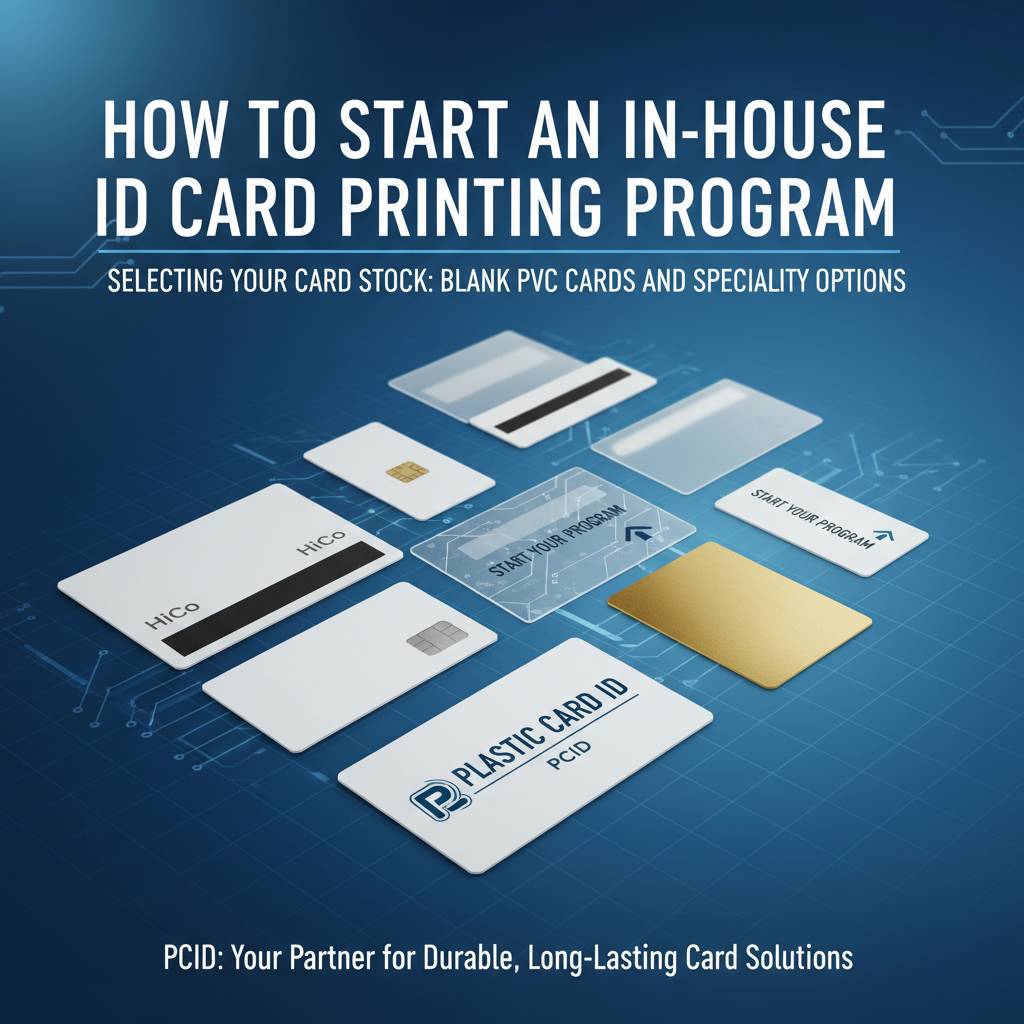 Blank CR80 cards are the foundation of virtually every in-house program. At 30 mil thickness and CR80 dimensions (3.375 x 2.125 inches), they match the ISO 7810 standard and fit every standard card holder, wallet slot, and badge clip on the market. Starting with high-quality blank PVC card stock prevents printer jams, color inconsistencies, and surface defects that derail card programs.
Beyond standard white PVC, the catalog of available card stock opens up considerably. Colored core cards, clear cards, frosted cards, and pre-encoded magnetic stripe cards in HiCo and LoCo configurations give program managers real flexibility to differentiate card types by department, clearance level, or program purpose.
HiCo vs. LoCo Magnetic Stripe Cards
High-coercivity (HiCo) magnetic stripes operate at 2750 Oe and resist accidental erasure from everyday magnetic fields - phones, security tags, purses with magnetic clasps. HiCo is the right choice for any card that will be used repeatedly over months or years. Employee access cards, loyalty cards, and hotel key cards that see heavy use belong on HiCo stock.
Low-coercivity (LoCo) stripes at 300 Oe are easier to encode and erase, making them appropriate for short-term or single-use applications like event wristbands, day passes, or temporary credentials. The per-card cost difference between HiCo and LoCo is minimal - the decision should be driven entirely by intended use duration, not cost.
Smart Cards and RFID Options
Proximity cards and RFID smart cards operate without physical contact, communicating with readers wirelessly. Standard 125 kHz proximity cards are the most common access control card in the United States, compatible with the vast majority of commercial access control readers. They are easy to issue and cost-effective at virtually any volume.
For programs requiring higher security, 13.56 MHz smart cards - including MIFARE DESFire configurations - offer encrypted communication and significantly stronger data protection. These are the cards used in sophisticated access control systems, cashless payment environments like casino player clubs, and corporate security programs where proximity card cloning is a real threat. CPE can help you identify which RFID technology matches your reader infrastructure.
Specialty Cards: Clear, Frosted, and Custom Die-Cut
Clear PVC cards create a striking visual effect, allowing background imagery and design elements to show through the card substrate itself. Frosted cards offer a softer translucent look that photographs exceptionally well with retransfer printing. Both options are available in standard CR80 format and print on the same printers as standard white cards.
Custom die-cut cards depart from the standard rectangle entirely - key fob shapes, rounded corners, custom cutouts, and unconventional geometries are all achievable. These are popular for loyalty programs, promotional cards, and brand-forward membership programs where the card's physical form is part of the brand experience. For organizations that want something no competitor has, a custom shape makes the card itself a conversation starter.
Ribbons, Consumables, and the True Cost of Printing
The printer is a one-time purchase. Ribbons, cleaning kits, and card stock are the ongoing costs that define your real per-card expense over time. Understanding the consumables equation before you launch prevents the most common source of in-house program frustration - running out of supplies at the worst possible moment.
Ribbon yield varies by printer model and ribbon type. A YMCKO ribbon (yellow, magenta, cyan, black panel, overlay) for a mid-range Evolis printer typically yields 200-300 cards per ribbon. Multiply your monthly card volume by the cost per ribbon and divide by yield to get your actual ribbon cost per card. Most organizations are surprised by how low this number is when calculated properly.
Understanding Ribbon Types
YMCKO ribbons are the standard for full-color ID card printing. The K panel adds a black panel for sharper text and barcodes, while the O (overlay) panel lays a protective laminate layer over the finished image. For cards with significant text or barcode scanning requirements, the K panel makes a meaningful quality difference compared to printing black through the color panels alone.
Monochrome ribbons in black, blue, red, silver, and gold print at significantly higher yields - often 1,000 or more cards per ribbon - at a fraction of the cost. If your card design uses a pre-printed background with only black text and a photo printed separately, a hybrid approach using monochrome ribbons for text-only cards can dramatically reduce consumable costs.
Cleaning Kits and Printer Maintenance
Card printer manufacturers design cleaning cycles into the printer firmware because debris, dust, and adhesive residue from card stock cause printhead damage and image quality decline over time. Running a cleaning cycle every 500 cards is a non-negotiable practice for any serious in-house program. Cleaning kits include cleaning cards and swabs engineered to remove contaminants without damaging the printhead.
Neglecting printer maintenance is the single most common cause of premature printhead failure. A replacement printhead for a professional card printer costs $150-$500 depending on model. A box of cleaning cards costs a fraction of that. The economics of regular maintenance are so obvious they barely need stating - yet skipped cleaning cycles remain the top service call reason across the industry.
Card Carriers, Sleeves, and Mailing Services
Issued cards need to reach their recipients in professional condition. Card carriers - folded paper or cardstock holders - protect printed cards during mailing and provide space for welcome messaging, PIN codes, or activation instructions. Card sleeves and badge holders protect cards from scratching and surface wear during daily use.
For organizations issuing cards by mail at scale, card affixing and mailing services handle the physical fulfillment process - attaching cards to carriers, inserting into envelopes, and posting to recipients. This is particularly valuable for loyalty program launches, membership renewals, and annual credential reissuance where mailing hundreds or thousands of cards in-house would consume significant staff time. To discuss fulfillment options, reach CPE at 800.835.7919.
Building Your Program Step by Step: A Practical Launch Guide
Theory is useful. Process is better. The following sequence reflects how successful in-house card programs actually get built - not in a straight line, but with intentional decisions at each stage that prevent expensive backtracking later.

The organizations that launch strongest are the ones that define their card's job before they buy a single piece of equipment. What does this card need to do? Identify a person visually? Grant door access? Earn loyalty points? Be scanned by a barcode reader? Each function adds a requirement, and requirements drive equipment selection.
Step One: Define Your Card Program Requirements
Start by answering five questions: Who will carry this card? What will it need to do? How many cards will you issue per month? How long should each card last? Will cards need to be reissued or updated frequently? The answers form a requirements document that makes every subsequent decision cleaner and faster.
- Identity only: Standard white PVC CR80, single-sided printer, YMCKO ribbon
- Identity plus access control: Add HiCo magnetic stripe or proximity RFID card stock and encoding module
- Loyalty or membership: Consider magnetic stripe for point-of-sale integration; clear or colored stock for visual differentiation
- High-security credential: Retransfer printer, smart card stock, possibly holographic overlaminates
- Event or temporary: LoCo magnetic or plain PVC; monochrome printing is often sufficient
Step Two: Select and Procure Your Equipment and Card Stock
With requirements in hand, equipment selection becomes a matching exercise rather than a guessing game. Request specifications from your card supplier, confirm compatibility between your printer model and card stock type, and verify that your encoding module (if selected) supports the card technology you have chosen. Compatibility verification before purchase eliminates the most painful and avoidable mistakes in program setup.
Order enough card stock for at least three months of projected volume on your first purchase. This ensures you have an adequate sample to test print quality, tune printer settings, and identify any adjustments needed before you are printing live credentials at scale. Ordering just enough for initial testing often leads to a gap between testing and full launch.
Step Three: Set Up Your Design Software and Train Your Team
Card design software ranges from manufacturer-bundled applications included with the printer to professional-grade platforms with database connectivity for batch printing. For small programs printing individual cards, bundled software is typically sufficient. For programs pulling employee photos and data from an HR system or membership database, a more capable application with database linking is worth the investment.
Staff training for a standard ID card program typically takes one to two hours. Print the first batch together, walk through the cleaning cycle procedure, and establish a consumables reorder schedule before any individual is left managing the program solo. Documenting the process in a one-page reference sheet prevents confusion when the trained operator is unavailable.
Common Mistakes to Avoid When Starting an In-House ID Card Program
Even well-planned programs stumble when overlooked details surface at inconvenient moments. Knowing where other programs have gone wrong gives yours a meaningful head start. These are not edge cases - they are the recurring themes that card program consultants see again and again.
The most preventable failures share a common root: decisions made without full information. Investing thirty minutes in a conversation with an experienced card program supplier before purchasing equipment has saved organizations hundreds or thousands of dollars in wrong-direction purchases. CPE exists precisely for that kind of conversation.
Underestimating Volume Growth
A program that starts at 50 cards per month often grows to 200 or 300 within two years as the organization finds new uses for the infrastructure already in place. Purchasing a printer rated for 100 cards per month and then pushing it to 400 accelerates printhead wear and creates reliability problems at the worst possible times.
When selecting a printer, build in 50-100% headroom above your current projected volume. The price difference between a 200-card-per-month printer and a 500-card-per-month printer is often smaller than most buyers expect, and the headroom protects the investment as programs naturally expand.
Ignoring Encoding Compatibility with Existing Systems
Organizations that add access control cards to an existing security system sometimes discover - after purchasing card stock - that their readers operate on a frequency or protocol their new cards do not support. Confirming reader frequency and protocol compatibility before ordering encoded card stock is essential. A 125 kHz proximity card will not communicate with a 13.56 MHz reader, and no amount of configuration will bridge that gap.
Request the reader specifications from your access control vendor or facilities team before placing any encoded card stock order. This single step prevents one of the most costly and frustrating card program mistakes. When in doubt, bring your card supplier into the conversation - CPE has navigated these compatibility questions with clients across dozens of access control platforms.
Skipping the Test Print Phase
Printing live credentials before running thorough test prints is a shortcut that frequently produces embarrassing results - color calibration issues, text alignment problems, or barcode scan failures discovered only after 200 cards have been issued. A proper test print phase catches these issues before they matter. Run at least 20-30 test cards under real conditions before printing any card intended for live use.
Test cards should replicate the exact design, encoding content, and printer settings of the final card. Test barcode scan rates with the actual scanning hardware your recipients will encounter. Test magnetic stripe read reliability on the readers in your facility. Print a card, use it for a week, and assess wear before committing to a full production run.
Plastic Card ID Is Your Strategic Partner for Every Stage of Your Card Program
 After 25 years and more than 50 million cards supplied to over 100,000 customers across the United States, Plastic Card ID brings something most suppliers cannot offer: genuine institutional knowledge of what makes card programs succeed and what causes them to struggle. That experience is available to every client, regardless of program size.
From the organization launching its first 50-card employee badge program to the enterprise scaling to tens of thousands of credentials annually, Plastic Card ID operates as a strategic partner invested in your program's long-term success. The full catalog - blank PVC cards, magnetic stripe, RFID, smart cards, specialty stock, printers from Evolis, Zebra, and Fargo, ribbons, cleaning kits, card carriers, and mailing services - means you never need to stitch together multiple vendors to run a complete card program.
A True One-Stop Shop for Serious Card Programs
Sourcing cards from one vendor, printers from another, and ribbons from a third creates a support nightmare when something goes wrong. Every vendor points to the others. Consolidating your card program supply chain through a single knowledgeable partner eliminates that friction entirely. When a question arises about compatibility, consumables, or card quality, one call reaches someone who knows the full picture.
CPE stocks everything from standard white CR80 PVC blanks to luxury metal cards in stainless steel, brass, and gold for organizations that want to make a premium impression. Clear cards, frosted cards, custom die-cut shapes, casino player cards, hotel key cards - the catalog covers every application a USA-based business or organization could need for identity, access, loyalty, membership, marketing, or event programs.
Ready to Launch? Start the Conversation Today
Your in-house ID card printing program starts with a single conversation. Talk through your requirements, volume projections, card type needs, and budget with a team that has helped thousands of organizations build exactly the program you are envisioning.
Call Plastic Card ID today at 800.835.7919 and let a card program specialist help you select the right printer, card stock, and accessories to launch with confidence.
Contact Plastic Card ID now at 800.835.7919 - because the best time to build a smarter card program is today.
Previous Page