Adding Logos and Photos to Blank Plastic Cards
Table of Contents []
- Adding Logos and Photos to Blank Plastic Cards with Plastic Card ID
- Why Blank Plastic Cards Are the Smart Starting Point
- Card Printers That Handle Logo and Photo Printing with Precision
- Designing Logos and Photos for Plastic Card Printing
- Loyalty, Membership, and ID Programs That Benefit Most from Custom-Printed Cards
- Value-Added Services That Complete Your Card Program
- Get Started with Plastic Card ID Today
Adding Logos and Photos to Blank Plastic Cards with Plastic Card ID
There is a moment every organization reaches - when a paper badge or a printed cardstock membership slip starts to feel like an apology rather than a statement. That moment is exactly when blank plastic cards, paired with the right printing approach, change everything. Adding logos and photos to blank plastic cards transforms a raw CR80 into something that works: a credential, a brand ambassador, a loyalty driver, a door key. And doing it well requires more than just a printer and a design file.
Plastic Card ID has spent over 25 years helping businesses across the United States build card programs that actually perform. With more than 50 million cards sold and over 100,000 customers served, the expertise here is not theoretical. It is built from real programs - from 50 cards a month for a local gym to tens of thousands for a multi-location retail chain. Getting your logo and photos onto plastic cards is a process worth understanding from the ground up.
| Card Type | Best Use Case | Photo/Logo Compatible |
|---|---|---|
| Blank PVC CR80 | Employee IDs, Membership Cards | Yes - Full Color |
| Magnetic Stripe (HiCo/LoCo) | Hotel Keys, Loyalty, Access | Yes - Full Color |
| RFID / Proximity Cards | Access Control, Smart Programs | Yes - Full Color |
| Clear / Frosted PVC | Premium Branding, VIP Cards | Yes - Selective Areas |
| Colored PVC Stock | Events, ID Programs | Yes - Full Color |
Why Blank Plastic Cards Are the Smart Starting Point
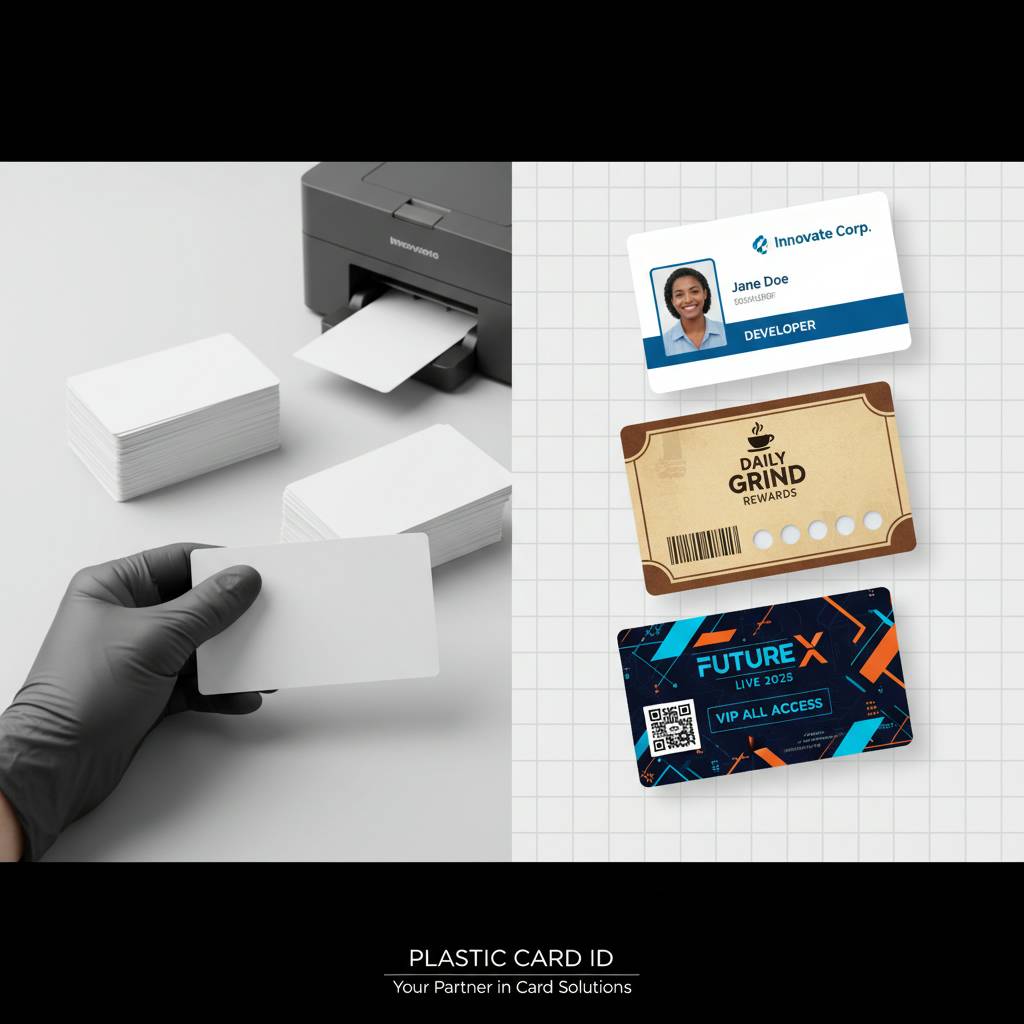 Most organizations are surprised to learn that starting with blank cards - rather than pre-printed custom stock - gives them more flexibility and, over time, a lower per-card cost. A blank CR80 card (30 mil thick, ISO 7810 compliant, the same size as a standard credit card) is a neutral canvas. You decide what goes on it: a corporate logo, a staff photo, a barcode, a member number. Change your design next quarter? No problem. You are not sitting on obsolete inventory.
Blank cards give you total design control. When you combine quality blank PVC stock with a desktop card printer and the right ribbon, adding logos and photos becomes an in-house capability that scales with your program. Print one card today and two hundred next week. That responsiveness is simply not possible with pre-printed stock, and for dynamic programs - where employee rosters change, membership grows, events roll over seasonally - that agility matters enormously.
Understanding CR80 Card Specs Before You Print
The CR80 standard is universal for a reason. At 3.375 inches by 2.125 inches, 30 mil thick, it fits every standard wallet slot, card holder, and card printer on the market. When adding logos and photos to blank plastic cards, starting with cards that match this spec ensures your printer will handle them without jams, misfeeds, or registration errors. Deviate from spec and you introduce variables that ruin print jobs.
Card surface texture also matters more than most buyers anticipate. A glossy PVC surface produces vivid, saturated color - great for photo IDs and logo-heavy designs. A matte or frosted surface creates a more refined, premium feel and reduces fingerprinting, though colors appear slightly softer. Knowing which surface serves your program best before ordering in bulk prevents costly mismatches between card stock and printer ribbon type.
The Role of Magnetic Stripes in Branded Card Programs
Adding a magnetic stripe to a blank card does not limit your design freedom at all. HiCo (high coercivity) and LoCo (low coercivity) magnetic stripe cards are available in the same CR80 format, and the stripe occupies a standard band across the back of the card. Your logo, photo, and design elements live on the front - or wrap around the back entirely if your design calls for it. The stripe is purely functional; your brand is still front and center.
HiCo stripes are more durable and resistant to accidental erasure from proximity to other magnets - making them the right choice for cards that see daily use over long periods. LoCo stripes are appropriate for short-lifecycle programs like event passes or temporary access cards. Matching stripe type to program longevity is a small decision with a noticeable impact on card reliability in the field.
Choosing the Right Blank Card for Your Program Type
Not every program needs the same blank card. Employee ID programs benefit from standard white PVC - it provides maximum contrast for photos and logos alike. Loyalty programs for upscale brands might lean toward frosted or colored PVC stock, where the card itself communicates premium positioning before a single logo is printed. Event credentials often use colored stock for fast visual identification by tier or access level.
CPE stocks a full range of blank card options - white PVC, colored stock, clear, frosted, magnetic stripe, RFID-embedded, and smart chip cards - so matching the right base card to your printing intent is straightforward. Selecting the right substrate from the start prevents wasted ribbon and reprints down the line.
Card Printers That Handle Logo and Photo Printing with Precision
The quality of your printed logo and employee photos is only as good as the printer producing them. Consumer inkjet or laser printers are not designed for plastic cards and will produce blurry, smeared, or improperly bonded output. Purpose-built card printers use dye-sublimation technology - a process that diffuses dye directly into the card surface rather than sitting on top of it - creating crisp, vibrant, permanent output that does not scratch or fade with normal handling.
Plastic Card ID carries a curated lineup from three of the most respected manufacturers in the industry: Evolis, Zebra, and Fargo. Each brand offers models across a range of output speeds, encoding capabilities, and print resolutions, meaning there is a printer suited to a 50-card-a-month office program and a different model better suited to high-volume production environments printing thousands of cards weekly.
Evolis Printers: Compact Performance for Growing Programs
Evolis printers are a favorite among small to mid-sized organizations that need reliable, professional output without a large footprint or steep learning curve. Models like the Primacy and Badgy series deliver excellent dye-sublimation print quality, and their intuitive software integrations make designing and printing logo-bearing cards or photo ID cards genuinely approachable for teams without dedicated IT support.
Evolis printers handle retransfer and direct-to-card printing, depending on the model, and support single-sided and dual-sided printing for programs that need branding on the front and encoded or variable data on the back. Their color consistency across print runs is particularly strong - an important factor when you need your corporate logo to look identical across every single card in a batch.
Zebra and Fargo: Power for High-Volume ID and Access Programs
Zebra card printers are workhorses. Built for demanding environments, Zebra models offer fast throughput, robust encoding options (magnetic stripe, smart card, RFID), and exceptional durability. For organizations printing hundreds or thousands of cards per week - think universities, healthcare systems, large retailers - Zebra printers deliver the speed and consistency that keeps programs running without bottlenecks.
Fargo (now part of HID Global) specializes in high-security ID programs. Their retransfer printing technology prints onto a clear film that is then laminated over the card surface, producing output that wraps around card edges and renders photo IDs with remarkable sharpness. For government, law enforcement, or high-security access programs, Fargo is frequently the printer of choice. Call 800.835.7919 to discuss which printer model fits your specific volume and encoding requirements.
Ribbons and Supplies That Make or Break Print Quality
A premium printer loaded with the wrong ribbon is a recipe for disappointing output. Dye-sublimation ribbons come in full-color YMCKO configurations (yellow, magenta, cyan, black, overlay) for photo-quality printing, as well as monochrome options for fast single-color output. Choosing the right ribbon for your card type and printer model directly determines how vivid your logo appears and how accurately your photo subjects are rendered.
CPE supplies genuine OEM ribbons for Evolis, Zebra, and Fargo printers, along with cleaning kits that maintain print head performance over time. Skipping regular cleaning cycles is one of the most common reasons photo quality degrades on otherwise well-maintained printers. A cleaning kit is inexpensive; a replacement print head is not.
Designing Logos and Photos for Plastic Card Printing
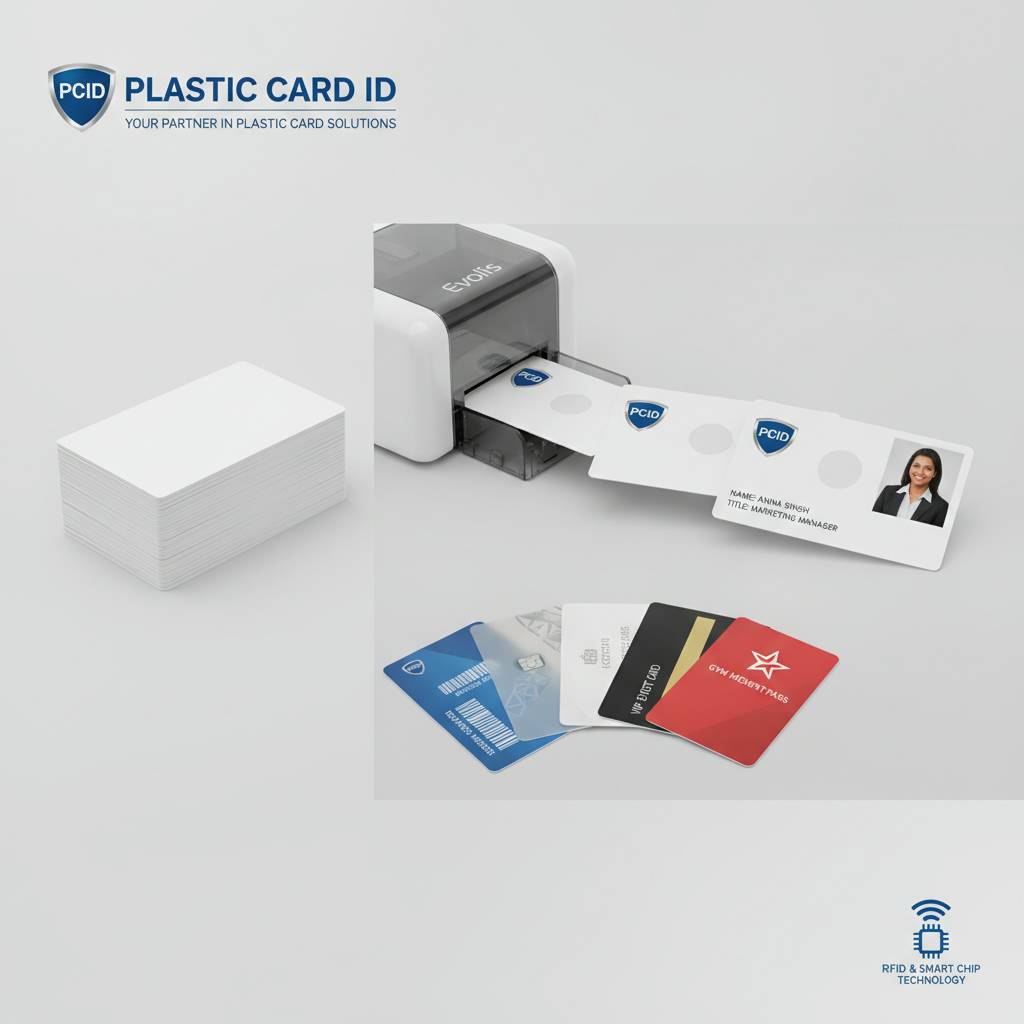 Many organizations have beautiful logos that were designed for web use - screen-resolution graphics at 72 DPI that look sharp on a monitor and pixelated and blurry when printed on a card. Card printing demands 300 DPI or higher for photos and vector (EPS, AI, or SVG) formats for logos. This is non-negotiable if you want professional output. Preparing your design files correctly before printing saves time, ribbon, and frustration.
Photos for employee ID cards or membership cards should be captured or supplied at sufficient resolution for the final print dimensions. A face photo on a CR80 card typically prints at roughly 1 inch by 1.25 inches - but that image needs to be supplied at 300 DPI minimum to avoid visible pixelation. Brief your team or your card software template on these requirements before the first print run begins.
Card Design Software Options
Every major card printer manufacturer bundles basic card design software with their printers. Evolis CardPresso, Zebra ZMotif, and Fargo's suite all provide templates and import tools that simplify placing logos, inserting photo fields, and adding text or barcode elements. For organizations with existing design staff, card dimensions can be set up in Adobe Illustrator or InDesign and exported to the appropriate format for your printer's driver.
Database connectivity is a feature worth paying attention to. Most mid-range and professional card printers support connecting to a CSV file or database, allowing batch printing where each card pulls a unique photo, name, employee number, or member ID automatically. This is the feature that turns a card printer into a complete ID management system rather than a one-card-at-a-time tool.
Placement and Safe Zone Best Practices
Logos placed too close to card edges risk being clipped during printing or, worse, during card cutting if laminate overlays are applied. Maintaining a 1/8-inch safe zone around the card perimeter protects your logo and any critical text from edge distortion. This is standard practice in commercial print work and applies just as much to plastic card programs.
For dual-sided programs, ensure back-of-card design elements account for the magnetic stripe band if applicable. Printing over the stripe area with dark or opaque colors can interfere with stripe readability. Most card design templates provided with printers include guides that mark off the stripe region automatically - use them.
Color Matching Your Brand on Plastic Cards
Dye-sublimation printing on PVC produces color through a CMYK process, which means Pantone-matched corporate colors will need to be converted to their CMYK equivalents for accurate on-card reproduction. Colors often look slightly different on plastic than on paper due to surface and material differences. Running a small test batch before committing to a large print run is always the right move when exact color matching is a priority.
White is not a printable color in standard dye-sublimation printing - white areas on your card are simply the unprinted white PVC surface showing through. If your logo includes white elements meant to appear on a colored background, a white card stock is your base. Clear or colored stock cards require design adjustments to account for this behavior.
Loyalty, Membership, and ID Programs That Benefit Most from Custom-Printed Cards
Retailers who switch from paper punch cards to printed plastic loyalty cards with logos and photos of featured products see engagement rates climb significantly. The physical permanence of a plastic card keeps it in wallets longer. It signals to the cardholder that the program is serious, invested, and worth participating in. Paper alternatives communicate the opposite, whether that is the intention or not.
Membership organizations - gyms, clubs, associations, libraries, coworking spaces - benefit from the same dynamic. A well-designed membership card with your logo conveys legitimacy that a paper printout simply cannot replicate. It reinforces that membership means something. It travels with the member in their wallet rather than living in a drawer or recycling bin.
Employee ID Cards with Photos: Best Practices
Employee ID cards serve multiple purposes simultaneously: they identify staff members, communicate role or access tier, reinforce brand consistency, and contribute to physical security protocols. A card that does all of this well includes a clear, well-lit employee photo, legible name and title text, your organization's logo at high resolution, and optionally a barcode or magnetic stripe for access integration.
- Use a neutral background for employee photos to ensure consistent appearance across your team.
- Standardize photo dimensions and positioning in your card template before any printing begins.
- Include a card number or employee ID for easy database cross-referencing.
- Consider color-coded card stock or a colored stripe to differentiate departments or access tiers.
- Laminate or apply an overlay panel from your printer ribbon to protect the photo from wear.
Programs that encode access permissions onto the magnetic stripe or RFID chip can link directly to access control systems, eliminating the need for separate key fobs or PIN codes. The card becomes the employee's all-in-one credential: ID, access token, and brand touchpoint simultaneously.
Event Credentials and Temporary Cards
Events present a unique card printing scenario: volume is often high, timelines are compressed, and the card's lifespan is measured in days rather than years. Colored PVC stock simplifies tier identification at a glance - VIP credentials in one color, general admission in another, staff in a third. Logos and event branding print cleanly on all stock types, giving even short-lifecycle event cards a polished, professional appearance.
For recurring events or conferences, blank magnetic stripe cards allow reuse-style programs where cards are encoded fresh for each event while the physical card itself carries consistent branding. This approach reduces per-event card costs for organizations that run multiple events annually.
Value-Added Services That Complete Your Card Program
Plastic Card ID functions as a genuine one-stop shop for card programs of any scale. Beyond blank cards and printers, the full suite of supporting supplies and services means you are not piecing together a program from five different vendors. Card carriers, sleeves, lanyards, affixing services, and card mailing fulfillment are all part of what CPE provides to clients across the United States.
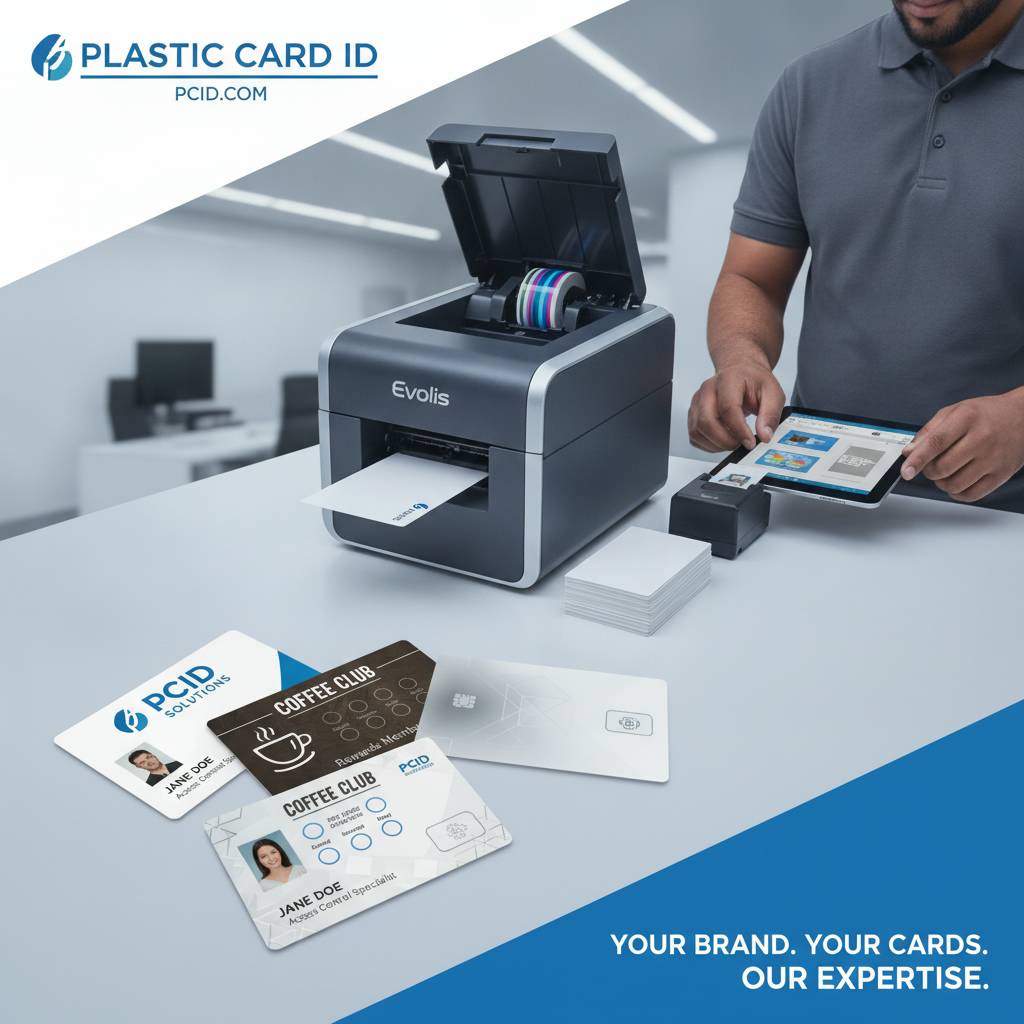
Card affixing and mailing services are particularly valuable for organizations distributing cards to large membership bases or loyalty program participants. Rather than managing envelope stuffing and postage logistics internally, outsourcing card mailing to CPE as part of the program reduces administrative burden and ensures consistent, timely delivery to cardholders.
Protective Sleeves and Card Carriers
A beautifully printed card with your logo and a member photo should arrive in pristine condition and stay that way through regular handling. Card sleeves protect printed surfaces from scratching during transit and storage. Card carriers allow organizations to include messaging, terms, or promotional material alongside the card itself - a welcome letter, instructions for use, or introductory offer details.
Presentation matters in card programs. A card delivered loose in an envelope communicates indifference. The same card presented in a branded carrier signals that your organization considers the member's experience at every touchpoint. The incremental cost of sleeves and carriers is minimal compared to the impression they make.
Cleaning Kits and Printer Maintenance Supplies
A printer that is not cleaned regularly will show it in print quality long before any mechanical failure occurs. Dye-sublimation print heads are precision instruments - dust, debris, and card residue accumulate over thousands of print cycles and degrade the sharpness of photo reproduction and the vibrancy of logo colors. Cleaning kits designed for Evolis, Zebra, and Fargo printers are stocked by Plastic Card ID and should be used on the manufacturer's recommended schedule.
Keeping your printer in optimal condition is not just about print quality - it directly extends the useful life of the hardware itself. A well-maintained card printer producing sharp, accurate logo and photo output is a long-term asset. A neglected printer producing degraded cards costs you in reprints, ribbon waste, and eventually early hardware replacement.
Get Started with Plastic Card ID Today
Adding logos and photos to blank plastic cards is not complicated when you have the right stock, the right printer, and a supplier who has been doing this for over 25 years. Whether you are launching a new employee ID program, upgrading a loyalty card initiative, or credentialing members of a growing organization, Plastic Card ID has the cards, the printers, the ribbons, and the expertise to make it work from day one.
Every card program is different, and Plastic Card ID treats it that way. From selecting the correct blank card substrate to choosing between Evolis, Zebra, and Fargo printer models, to sourcing the right ribbon configuration for your design, CPE provides guidance that turns a purchasing decision into a program strategy. Over 100,000 businesses have found that partnership genuinely valuable.
Frequently Asked Questions About Printing Logos and Photos on Plastic Cards
Organizations new to in-house card printing often share a handful of common questions. Here are the ones that come up most frequently when businesses are setting up logo and photo printing on blank plastic cards.
- What file format should I use for my logo? Vector formats (AI, EPS, SVG) are ideal. Raster files (JPG, PNG) should be 300 DPI or higher at print size.
- Can I print on colored card stock? Yes, but design your layout to account for the card's base color - white text and light elements may not appear as expected without design adjustments.
- What is the minimum order for blank cards? CPE accommodates programs of virtually any size. Call to discuss your specific volume needs.
- Do I need a special printer for RFID or smart card encoding? Yes - encoding requires a printer model with the appropriate built-in encoder. Plastic Card ID carries options across all three major brands.
- How do I ensure consistent color across print runs? Use the same ribbon type, maintain your printer with regular cleaning, and standardize your design files. Test batches before large runs are always recommended.
More specific questions about your program? 800.835.7919 connects you directly with the team at Plastic Card ID who can walk through options based on your volume, card type, and design requirements.
Scaling Your Card Program Over Time
Many organizations start with a single desktop printer and a few hundred blank cards per month and find themselves printing thousands of cards quarterly within two to three years. Anticipating that growth in your initial printer selection prevents premature hardware upgrades. CPE helps clients choose equipment that has room to grow, rather than equipment that fits only today's volume and needs replacing the moment the program scales.
As programs grow, multi-printer setups, dedicated card databases, and integration with access control or POS systems become relevant considerations. Planning for scalability from the beginning is one of the most valuable things an experienced card program partner can offer - and it is exactly the kind of long-term thinking Plastic Card ID brings to every client relationship across the United States.
Ready to put your logo and photos on professional plastic cards? Contact Plastic Card ID at 800.835.7919 and let's build your card program the right way.
Previous Page