Color Matching on Printed Plastic Cards: Tips
Table of Contents []
- Color Matching on Printed Plastic Cards: Why It Matters More Than You Think - Plastic Card ID
- Understanding Color Systems: CMYK, Pantone, and RGB on Plastic Cards
- Card Printer Technology and Its Role in Color Accuracy
- Ribbon Selection and Its Direct Impact on Color Output
- Artwork Preparation: Setting Your Cards Up for Color Success
- Specialty Card Types and Their Unique Color Considerations
- Building a Consistent Color Program: From First Card to Ten Thousandth - Plastic Card ID
Color Matching on Printed Plastic Cards: Why It Matters More Than You Think - Plastic Card ID
Hand someone a card that looks off-brand - a loyalty card where the red is muddy, a membership card where the logo looks washed out - and something subtle but powerful happens: trust erodes. Color is not decoration. On a plastic card, color is identity. Getting it right is not optional.
Plastic Card ID has spent over 25 years helping businesses across the United States produce plastic cards that look exactly the way they were intended to look. With more than 50 million cards sold and over 100,000 customers served, color accuracy sits at the center of nearly every conversation about print quality, brand consistency, and card program success.
| Color Factor | Impact on Card Quality | Recommended Solution |
|---|---|---|
| Pantone vs. CMYK Mismatch | Significant color shift, off-brand appearance | Profile-calibrated color conversion |
| Card Substrate Color | White base vs. colored stock alters ink appearance | Choose correct blank card stock |
| Ribbon Type and Quality | Affects saturation, sharpness, and durability | Use manufacturer-matched ribbons |
| Printer Calibration | Uncalibrated printers drift from intended output | Regular cleaning and calibration cycles |
| File Resolution | Low resolution causes banding and dull color | 300 DPI minimum artwork submission |
Understanding Color Systems: CMYK, Pantone, and RGB on Plastic Cards
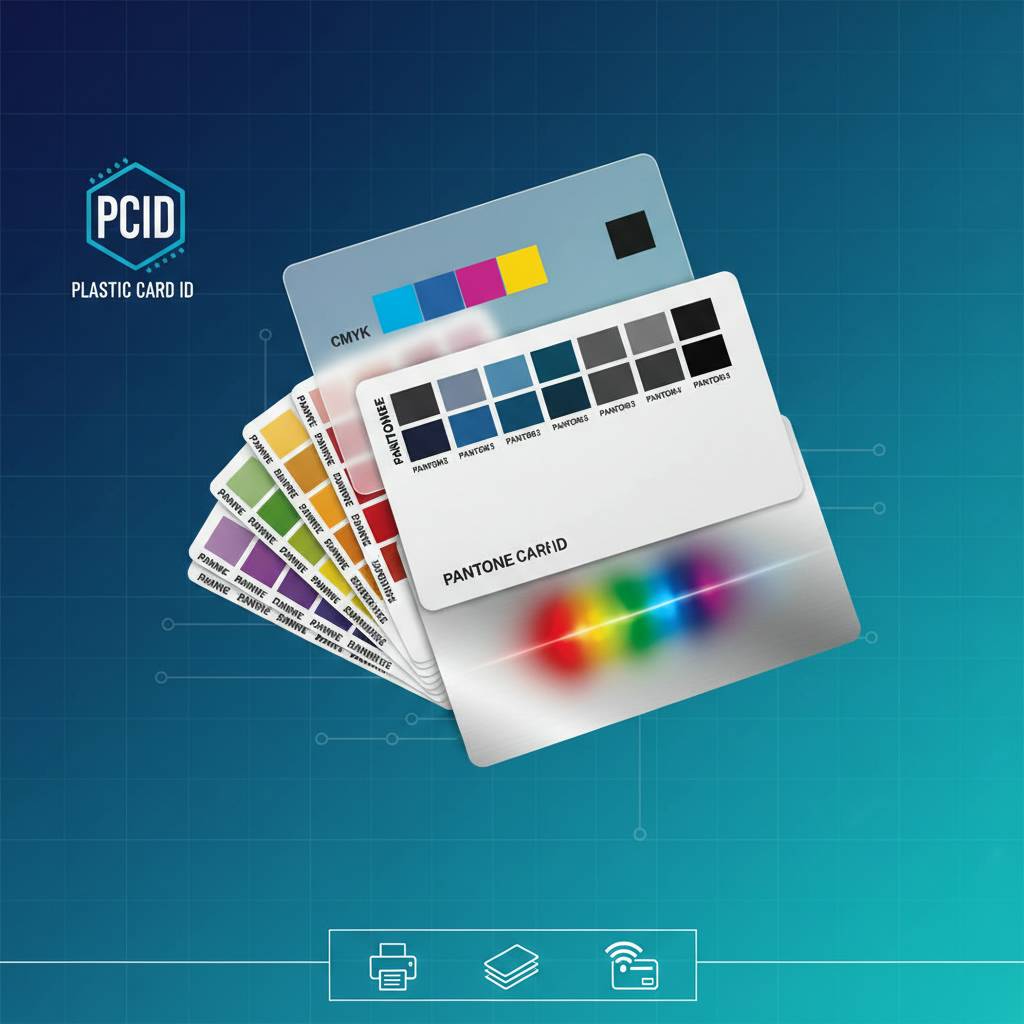 Color science is genuinely complicated, and it becomes even more nuanced when the printing surface is a rigid PVC card rather than paper. The way light interacts with a laminated plastic surface is fundamentally different from how it behaves on matte or coated paper stock. Understanding those differences is the first step toward achieving accurate, consistent color output across every card in your run.
Most digital card printers use a dye-sublimation or direct-to-card process that works within a CMYK color space. If your brand colors were defined using Pantone swatches - which is common for logos developed by professional designers - those values must be converted carefully. A careless or automated conversion can shift a vivid brand blue toward purple, or turn a warm corporate gold into something greenish and flat.
Why Pantone to CMYK Conversion Requires Attention
Pantone colors are mixed inks - precise formulas that produce specific hues. CMYK printing, by contrast, layers four process colors to approximate those hues. Some Pantone colors, particularly those in the bright orange, vivid green, and electric blue ranges, simply cannot be reproduced exactly in CMYK. The question is not whether a compromise exists, but how to minimize it.
Experienced card producers convert Pantone to CMYK using ICC profiles specific to the printer and ribbon combination being used. This is not a one-size-fits-all calculation. A color profile tuned for an Evolis Primacy 2 with a genuine Evolis ribbon will yield different results than the same conversion applied to a Zebra ZC300. Each combination has its own color gamut, and matching output to intent requires knowing that gamut well.
RGB Files and Why They Cause Problems
Many customers submit artwork created on a screen - a logo built in Adobe Illustrator using RGB values, or a photo edited in Photoshop in RGB mode. Screens emit light and can display a vastly wider range of colors than any printer can produce. When an RGB file is converted to CMYK for card printing, colors that appeared vivid and saturated on screen often appear muted and flat on the finished card.
The solution is to convert your artwork to CMYK before submission, using a profile appropriate for your intended printer. If you are working with CPE on a custom card program, the team can advise on the right color workflow for your artwork and equipment. Getting the file right before the first card prints saves time, material, and money.
How Card Stock Color Affects Ink Appearance
Here is something that surprises many first-time card buyers: the color of the blank card itself changes how printed colors appear. A white CR80 blank card provides a neutral base that allows CMYK inks to perform as expected. Print the same design onto a yellow, red, or black colored stock card, and the results will differ significantly - the underlying color bleeds through and modifies the perceived hue of every printed element above it.
This is not a flaw - it is a characteristic of dye-sublimation printing on colored substrates. For designs intended to leverage a colored card background, the artwork should be specifically designed with that substrate in mind, leaving intentional areas unpainted so the card's own color contributes to the design. Matching color to substrate is a craft decision, not just a technical one.
Card Printer Technology and Its Role in Color Accuracy
The printer you choose is not merely a hardware purchase. It is a color production tool, and its capabilities directly determine the ceiling of your color output quality. CPE works with leading printer brands - Evolis, Zebra, and Fargo - each of which brings distinct characteristics to color reproduction on plastic cards. Choosing the right printer for your application matters enormously.
Dye-sublimation card printers, which dominate the ID and loyalty card market, heat dye panels to transfer color onto the card surface. The thermal head moves across the card in a single pass, and the precision of that thermal process determines color gradient smoothness, saturation, and edge definition. A high-quality printer with a calibrated thermal head produces noticeably superior color results compared to a budget-tier device running the same artwork.
Evolis Printers: Color Fidelity for Professional Programs
Evolis card printers, including the Primacy 2 and the Avansia retransfer model, are respected in the industry for delivering consistent, vibrant color output across high-volume runs. The retransfer process used in the Avansia is particularly valuable for color accuracy: instead of printing directly onto the card surface, the image is first printed onto a clear film that is then laminated to the card. This produces edge-to-edge color with exceptional sharpness and uniformity.
For organizations running employee ID programs, membership cards, or branded loyalty cards where color consistency across hundreds or thousands of cards is non-negotiable, Evolis retransfer printers represent a serious upgrade in output quality. The per-card cost is slightly higher, but the visual result justifies it for programs where brand integrity is paramount.
Zebra and Fargo: Workhorses with Excellent Color Capability
Zebra and Fargo printers each occupy important segments of the card printing market. Zebra's ZC series offers fast throughput with reliable color output for mid-volume programs, while HID Fargo printers - notably the HDP5000 - use high-definition printing technology that rivals retransfer quality at competitive price points. Both brands are widely supported with genuine ribbon and supply options available through Plastic Card ID.
Fargo's HDP process prints at a resolution that captures fine detail in logos and small text with impressive color accuracy. For access control programs that incorporate photo ID, or membership cards that need to reproduce photographic headshots faithfully, HDP-capable Fargo printers deliver professional-grade photo realism that direct-to-card printers cannot match. Contact Plastic Card ID at 800.835.7919 to discuss which printer platform best fits your color requirements.
Calibration, Cleaning, and Consistent Output Over Time
Even the best printer drifts from its intended color output if it is not maintained. Dust on the thermal head causes banding and color dropout. Debris on the card path causes smearing. A printer that produced perfect color output at installation will gradually degrade without regular cleaning cycles using manufacturer-approved cleaning kits. The cards may look fine to the untrained eye, but side-by-side comparison with a reference card will reveal the shift.
Calibration is equally important. Many modern card printers allow color density and saturation adjustments through their driver software. Taking the time to run a calibration sequence and adjust these parameters to match your desired output - ideally using a printed reference card as a baseline - is a best practice that protects your investment in brand-consistent card production over the full life of the printer.
Ribbon Selection and Its Direct Impact on Color Output
 The ribbon is the consumable that carries the color, and ribbon quality is not uniform across the market. Genuine manufacturer ribbons - Evolis, Zebra, and Fargo branded - are formulated specifically for the thermal profiles of their respective printers. Third-party ribbons may appear cost-effective on a per-ribbon basis but frequently produce color that is less saturated, less durable, and less consistent across the card surface.
Color vibrancy, scratch resistance, and UV stability are all affected by ribbon quality. For programs where cards will see significant handling - gym membership cards, hotel key cards, retail gift cards - the ribbon's topcoat layer also determines how well the printed surface resists fading and abrasion. Investing in quality ribbon is not an upsell; it is a fundamental part of producing cards that hold their color and appearance through real-world use.
YMCKO vs. YMCKOK Ribbons: What the Letters Mean for Your Cards
Full-color card ribbons come in different configurations, most commonly YMCKO and YMCKOK. Y is yellow, M is magenta, C is cyan, K is black, and O is the overlay - a clear protective topcoat that goes over the printed image. YMCKOK adds a second black panel, which is used to print text and barcodes in a sharper, more durable resin-based black rather than the dye-based black produced by the color panels.
For cards that need readable barcodes, magnetic stripe encoding data printed on the surface, or sharp black text alongside full-color graphics, YMCKOK ribbons represent the professional standard. The difference in text crispness between a dye-black and a resin-black printed barcode is substantial, particularly when that barcode needs to be scanned reliably by a reader. Choosing the right ribbon type is not just about color aesthetics - it is about card function.
Monochrome and Specialty Ribbons for Targeted Applications
Not every card program requires full-color printing. Employee badges that include only a headshot, name, title, and department can be produced cost-effectively using a YMCKO ribbon on a well-designed template, but some programs use monochrome ribbons to print single-color information directly onto pre-printed card stock. This hybrid approach - professionally printed color base card combined with on-demand monochrome data printing - is a popular and cost-effective strategy for large organizations.
Specialty ribbons, including holographic overlay ribbons and UV fluorescent ribbons, add security features that are visible only under certain conditions. These are valuable for event credentials, casino player cards, and access control cards where visual verification of card authenticity is important. CPE can help you identify the right ribbon combination for your specific program requirements.
Artwork Preparation: Setting Your Cards Up for Color Success
The most sophisticated printer, running the finest ribbon, with perfect calibration, will still produce poor color if the artwork file is prepared incorrectly. File preparation is the foundation of color accuracy, and it is an area where many card programs fail before the first card ever prints. Understanding what the printer needs from your artwork is the difference between a disappointing first run and a successful one.
Color accuracy on plastic cards begins at the design stage. This means working in CMYK color mode from the start rather than converting at the end, using the correct card template dimensions (CR80 cards are 3.375 x 2.125 inches with a 3 mm bleed on all sides), and ensuring all artwork is submitted at a minimum of 300 DPI. Low-resolution files produce banding, soft edges, and flat color that no amount of printer adjustment can fix.
Color Profiles and Soft Proofing Before You Print
Professional designers working on card artwork should use soft proofing in Adobe Photoshop or Illustrator to simulate how colors will appear when printed with a specific ICC color profile. This step, often skipped by less experienced designers, allows you to identify problematic colors - those that will shift significantly in the CMYK conversion - before committing to a production run.
When colors cannot be reproduced accurately within CMYK, the solution is to adjust the design rather than fight the output. A vivid neon green may need to be shifted to a slightly muted green that prints accurately and still reads as on-brand. Designing for printability rather than screen appearance is a mindset shift that experienced card program managers adopt early.
Logos, Gradients, and Fine Detail: Special Considerations
Gradients and photographic elements generally reproduce well on high-quality card printers. Where designers run into trouble is with very fine text, thin lines, and intricate logo details at small scales. Below a certain size, fine serif typefaces lose definition, thin lines disappear or merge, and complex logos become unreadable. Minimum recommended text size for card printing is 6 points, with 8 points or larger for better legibility.
Logos with very fine detail should be simplified for card use if necessary. This is a common practice in professional brand adaptation - a logo that works beautifully on a billboard or website header may need to be adjusted for the constraints of a 3.375-inch print surface. Simplified, print-optimized artwork produces cards that look sharper and more professional than artwork transplanted directly from digital contexts without adaptation.
Buyer Tips: What to Check Before Submitting Your Card Artwork
- Convert all colors to CMYK before submitting - do not submit RGB files for card production.
- Set your document resolution to 300 DPI at actual print size, not scaled up from a low-resolution original.
- Include a 3 mm bleed on all sides if your design extends to the card edge.
- Use the CMYK equivalents of your Pantone brand colors, cross-referenced with an actual printed swatch if possible.
- Avoid very light colors on colored card stock - pale yellow on white card stock will disappear entirely.
- Keep critical content (text, logos, barcodes) at least 3 mm inside the trim line to avoid being cut off.
- Submit fonts as outlines or embed them in the file to prevent font substitution errors.
Specialty Card Types and Their Unique Color Considerations
Beyond standard white PVC blanks, the specialty card options available through Plastic Card ID introduce additional variables that affect color output and require specific design strategies. Clear plastic cards, frosted cards, and colored stock cards each behave differently under the printer's thermal head, and understanding those differences helps you make intentional design decisions rather than being surprised by the output.
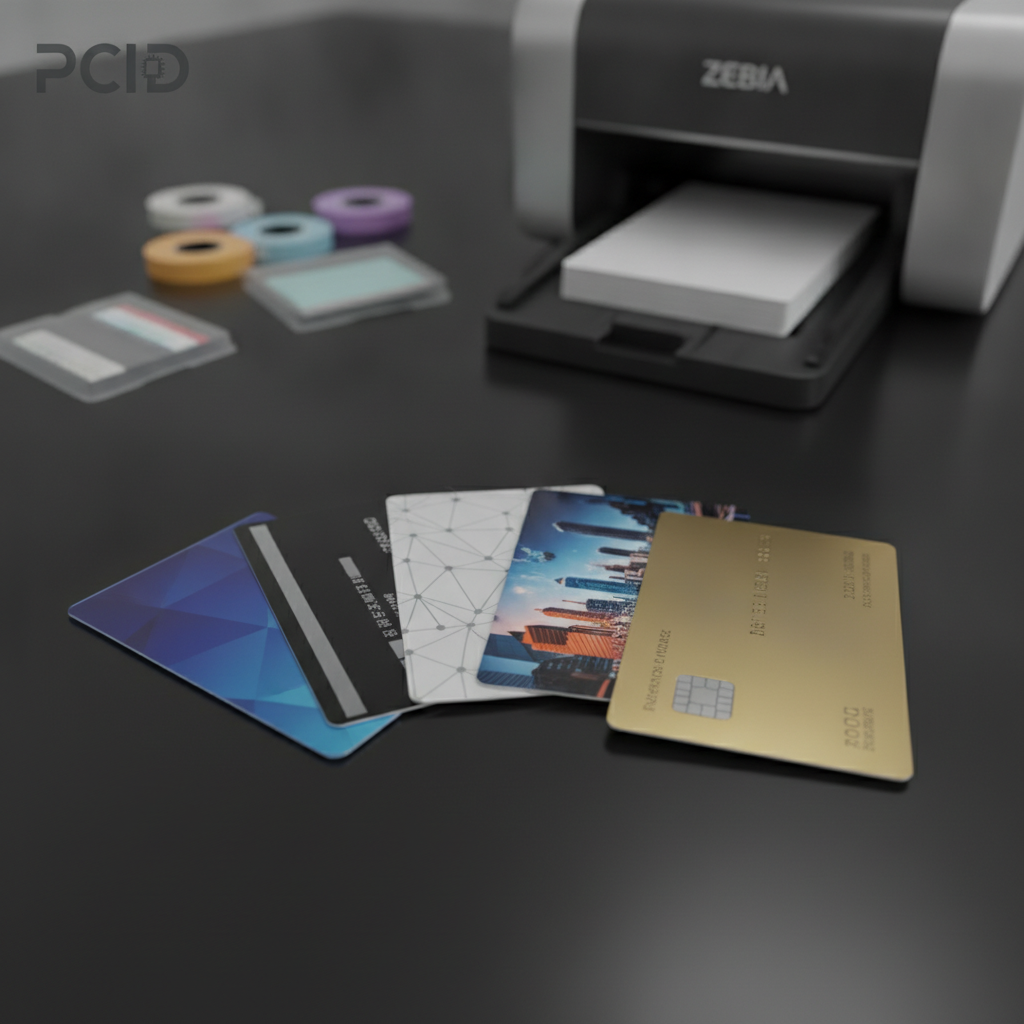
Clear and frosted cards are among the most visually distinctive options in the catalog. They communicate a premium, modern brand aesthetic that standard white cards simply cannot achieve. But they also require a completely different design approach. Colors printed on clear cards must be designed to work without a white background - which means solid color blocks, opaque design elements, and strategic use of white ink (where available) become essential tools.
Clear and Frosted Cards: Designing for Transparency
On a clear card, any area of the design that is not printed will be fully transparent. This creates striking visual effects when the card is held against a contrasting background, but it also means that colors appear differently depending on what is behind the card. Blues may appear darker, whites that rely on the card substrate disappear entirely. Designing for clear cards requires thinking about the card as a layered visual object rather than a flat surface.
Frosted cards offer a semi-opaque surface that softens the transparency effect while retaining the premium aesthetic. Printed colors on frosted stock appear slightly muted compared to white stock, which can actually work beautifully for sophisticated, understated brand identities. Luxury retail brands and high-end membership programs frequently choose frosted cards precisely because the color quality feels intentional rather than simply vivid.
Colored Stock Cards and Strategic Color Use
Pre-colored blank cards in red, blue, gold, black, and other colors open up design possibilities that standard white stock does not allow. A black card with gold-colored printing creates a premium look at a fraction of the cost of metal cards. A red card with white text produces bold, high-contrast results that stand out in any wallet. But achieving these results requires designing with the card color as an active design element.
Because dye-sublimation inks are semi-transparent by nature, printing yellow on a blue card will produce a greenish result. Printing light colors on dark stock is generally ineffective without a white ink base layer. For programs where exact color matching matters on colored stock, pre-printed custom cards - where the design is produced during the card manufacturing process rather than applied by an in-house printer - offer the most reliable results. Contact Plastic Card ID to discuss which approach fits your program.
Metal and Premium Cards: When Standard Color Rules Do Not Apply
Luxury metal cards in stainless steel, brass, and gold represent the upper tier of card program investment. The visual impact is undeniable - a metal card commands attention and signals exclusivity in a way that plastic, however well-printed, cannot replicate. Color on metal cards is typically applied through laser engraving, etching, or selective color printing, and the relationship between the metal substrate and any applied color requires its own design approach.
Metal cards are not a DIY project - they are produced through specialized manufacturing rather than in-house printing. For VIP membership programs, elite loyalty tiers, and high-value client gift programs, the premium aesthetic of a metal card justifies the investment. CPE can walk you through the design and production process to ensure your metal cards arrive exactly as envisioned.
Building a Consistent Color Program: From First Card to Ten Thousandth - Plastic Card ID
Color consistency is not a one-time achievement - it is a discipline. The card your organization produces on day one should look identical to the card produced in month eighteen, whether you are printing 50 cards a week or running production in the tens of thousands. Achieving that consistency requires documented processes, quality reference materials, and the right supply chain relationships.
Plastic Card ID functions as a strategic partner in this process, not just a supplier of cards and ribbons. When your program scales, your color standards should scale with it, not drift away from the original vision. With the right combination of printer, ribbon, card stock, and artwork preparation, color matching on printed plastic cards becomes a reliable, repeatable outcome rather than an anxious variable.
Maintaining Color Standards Across Card Runs Over Time
The single most effective tool for maintaining color consistency over time is a printed reference card. Print a batch of cards when your color output is exactly where you want it, and set aside several cards as color reference standards. Every subsequent run should be compared against these references before the full batch is accepted. This simple practice catches printer drift, ribbon lot variation, and software changes before they compromise an entire run.
Document your color settings: printer driver adjustments, ICC profile assignments, ribbon lot numbers, and card stock product codes. This documentation may seem excessive when you are running a small program, but it becomes invaluable when a team member leaves, a printer is replaced, or a ribbon formulation changes between supply lots. Institutional color knowledge protects your brand investment over the long term.
When to Scale Up: In-House Printing vs. Custom Manufactured Cards
In-house card printing with a desktop card printer is the right solution for many programs - particularly those requiring personalization, variable data, photos, or on-demand production. But as volume grows and design complexity increases, there is a crossover point where custom manufactured cards produced through an offset or digital printing process deliver better color quality, lower per-card cost, and more consistent results than in-house printing can achieve.
CPE can help you assess where your program sits on that spectrum and identify the most cost-effective approach for your current and projected card volumes. The goal is always the same: cards that look exactly right, every time, at the best possible cost per card for your volume. Call 800.835.7919 to speak with someone who understands your program from both sides of the production equation.
Frequently Asked Questions About Color Matching on Plastic Cards
Many customers come to Plastic Card ID with similar questions about color matching. The most common: "Why do my cards look different from my screen proof?" The answer almost always involves the RGB-to-CMYK conversion gap. Screen proofs simulate printed output but cannot perfectly replicate it, especially for colors near the edge of the CMYK gamut. Requesting a printed physical proof before committing to a full run is always the right move for color-critical programs.
Another frequent question: "Can you match our exact Pantone color?" In most cases, Plastic Card ID can achieve a very close match using calibrated conversion and the appropriate ICC profiles. Exact Pantone reproduction requires spot-color printing, which is available through custom card manufacturing rather than in-house digital printing. Understanding the difference between "very close" and "exact" helps set realistic expectations and leads to better program outcomes.
Ready to get your color right? Whether you are building a new card program from scratch or troubleshooting an existing one, Plastic Card ID has the expertise, the equipment, and the supply catalog to help you produce plastic cards that look exactly the way your brand demands. Reach out today - your color standards deserve a partner who takes them as seriously as you do.
Contact Plastic Card ID now at 800.835.7919 - because every card your organization hands out is a direct reflection of your brand, and Plastic Card ID is here to make sure that reflection is sharp, vivid, and exactly right.
Previous Page